

resynchronization
- noun
- /ˌriːˌsɪŋkrənaɪˈzeɪʃən/
- The team worked on the resynchronization of their schedules to ensure everyone was on the same page for the upcoming project.
Examples
-
The software update included features for the resynchronization of data across multiple devices.
-
After experiencing delays, the crew focused on the resynchronization of the trains to improve punctuality.
-
And, and that's where some of this resynchronization stuff comes in.
Synonyms

 12
4.7
12
4.7

The state of things happening at the same time
 2
6.7
2
6.7
A situation when events happen at the same time


 1
8.5
1
8.5
The matching of a beat or timing to another sound, like dancers to music

Making things happen at the same time
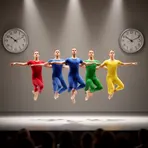
The state of events or actions happening at the same time
How Synchronized

Surface Forms
Morphology
resynchronization = resynchronize (transparent) = re + synchron + ize + ation
This is regular noun formation from the verb 'resynchronize', denoting the process or result of doing so.
Etymology
Resynchronization comes from re- 'again' and synchron (from syn- 'together' and chron- 'time'), like in synchronize or 'sync'. So, a resynchronization is the process of making clocks, devices, or systems work at the same time again after they become out of sync.