

taskbar
 5
3.3
5
3.3

- noun
- /ˈtæskˌbɑr/
- Specialized
- The taskbar allows you to switch between open programs and manage your tasks efficiently.
- click the taskbar
- Taskbar icons
- taskbar's system tray
Loading YouTube…
Watch on YouTubeSo maybe I just take the taskbar and File Explorer for granted.
- So maybe I just take the taskbar and File Explorer for granted.
Examples
-
To quickly access your favorite applications, you can pin them to the taskbar on your computer screen.
-
Microsoft remembers where you place the taskbar when you move it around.
Blog text (12) -
You know, you hit the Windows key to bring up the taskbar, you right click the icon and nothing.
-
Imagine if every application was forced to have an icon in the taskbar of Windows at all times.
Blog text (26) -
Basically, the main options here are things like pin to the taskbar, pin to the start menu.
-
When you start a Metro app, it should appear in the taskbar just like a regular desktop app.
Blog text (15) -
Once you set up your shortcuts and taskbar, you never have to use the Start Screen at all.
Blog text (15) -
On the desktop, open Internet Explorer by clicking the Internet Explorer icon on your taskbar.
Blog text (26) -
The taskbar is neater than the mess like Vista that keeps more open on the taskbar.
Blog text (16) -
I would like to access my downloads folder from the taskbar instead of double-clicking.
Blog text (6)
Synonyms
 121
3.1
121
3.1
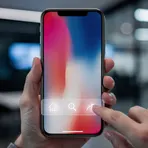
A strip on a screen that shows buttons, menus, or information
 15
3.8
15
3.8
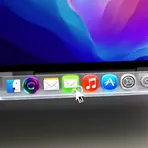
A bar on the computer screen that holds icons for apps
 12
3.2
12
3.2
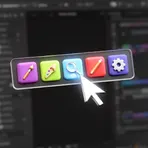
A row of buttons or icons on a computer screen that gives quick access to tools
 8
4.0
8
4.0
A program on a phone or computer that shows icons and opens apps
How Accessible

Surface Forms
Morphology
Etymology
The word taskbar is simply two words put together: task ('job' or 'work') and bar ('long strip'). It refers to the strip on your computer screen that shows the programs you are working on and lets you open them quickly.