

DPI
- symbol
- Specialized
- To ensure high-quality prints, you need to set the image's DPI to at least 300.
Loading YouTube…
Watch on YouTubeI'm afraid that the PPI or DPI, it's not the same point per inch.
- I'm afraid that the PPI or DPI, it's not the same point per inch.
- You better be happy with back forward DPI up and down and left and right click.
Examples
-
I'm afraid that the PPI or DPI, it's not the same point per inch.
-
OK, And there's also a DPI adjusting button here.
-
You drag this to change the actual DPI for that stage.
-
Who wants to be who wants me fixing their DPI from the top of it?
-
I also don't like that the DPI changes a little bit.
-
It looks like Yep, we've got DPI indications here.
-
In graphic design, the DPI determines how sharp and detailed the printed images will be.
-
When scanning documents, adjusting the DPI can significantly affect the clarity of the final output.
Synonyms
 91
3.9
91
3.9

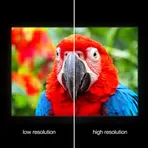
How clear and detailed an image or screen looks
 6
5.2
6
5.2
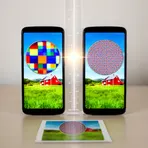
Number of pixels per inch on a screen or printed image
 1
9.9
1
9.9
The number of small dots that make a screen or image clear
How Detailed

Surface Forms
Etymology
DPI stands for dots per inch, which says how many tiny dots fit inside one inch of a picture, and the more dots in that space the sharper the image looks.