

popover
 1
7.0
1
7.0

- noun
- /ˈpɒpəvər/
- Specialized
 :
panel emergente
:
panel emergente
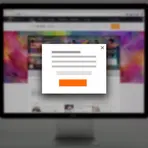
- Having a "popover" appear every time you visit a site can be frustrating for those who are not interested or for those who may already be on your email list.
Examples
-
The challenge is to find the point in time when a "popover" is most valuable and least disruptive.
Blog text (27) -
Make it very clear what a visitor needs to do in order to close the "popover" or "lightbox."
Blog text (27) -
To view more details, click on the button, and a popover will appear near it.
-
When you hover over the icon, a helpful popover shows the options available.
-
In the app, the tutorial will use a popover to explain new features without navigating away.
Synonyms
 112
4.5
112
4.5
A small window on screen that shows options or settings
 7
3.4
7
3.4
A small window that suddenly appears on your computer screen
 5
3.3
5
3.3
A small window that appears on a computer screen to show information or ads
How Intrusive
- Specialized
1
7.5
 3
3.5
3
3.5
- Specialized
5
3.2
- Specialized
1
7.0
- Slang
1
8.8
Surface Forms
Morphology
Etymology
Popover in apps and websites borrows that same idea from the food and the words pop and over, with pop meaning 'to appear suddenly' and over meaning 'above'. A popover is a small panel that appears on top of the screen near a button so you can see quick information without leaving the page.